DOOM-CLAUDE Monitor
A small Electron app that reads Claude Code's local session logs, estimates what the session would cost at API rates, and shows DOOM Guy getting progressively more beaten up as you approach your budget.
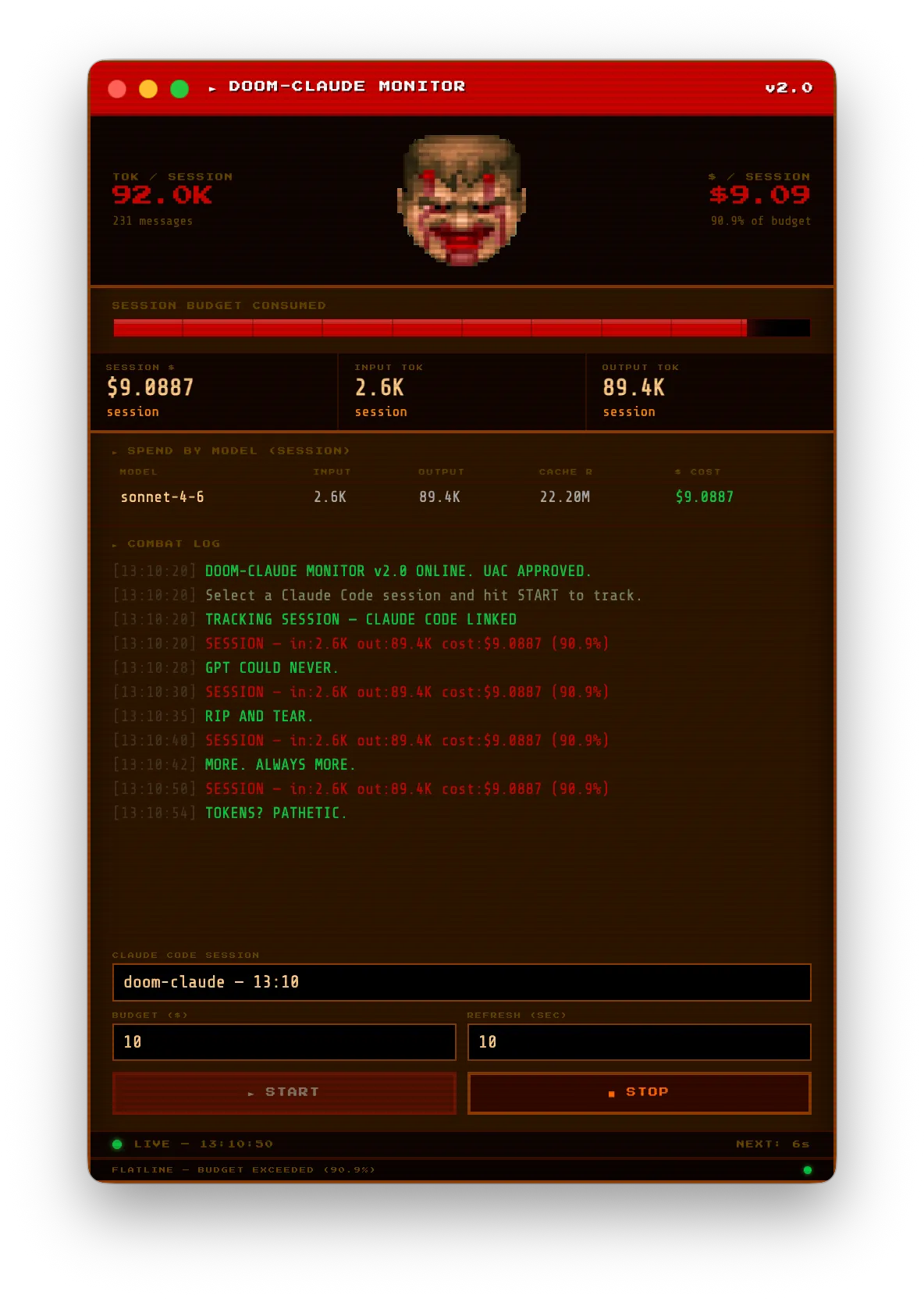
A desktop spend meter for Claude Code, styled as a DOOM status bar. You pick a session, set a budget (default $10), hit START, and the app polls every 10 seconds. The face in the middle is the DOOM Guy portrait, and it degrades in five steps as the budget fills up.
| Budget consumed | Face |
|---|---|
| 0–20% | Calm |
| 20–40% | Grinning |
| 40–60% | Hurt |
| 60–80% | Injured |
| 80%+ | Dying |
Clicking the face makes him taunt you, and the “combat log” also drops a random line every 5 to 30 seconds whether you asked or not.
How it works
There is no API key and no network call. Claude Code already writes every session to a JSONL file under ~/.claude/projects/, and each assistant message in that file carries a usage block. The Electron main process lists the 20 most recently modified session files, and on each poll re-reads the chosen one and sums input, output, cache-read and cache-write tokens per model.
The renderer multiplies those totals by a hardcoded per-model price table (pay-as-you-go rates for the Opus, Sonnet and Haiku models current at the time), falling back to Sonnet pricing for anything it doesn’t recognise. On a subscription plan the dollar figure is notional, but it is still a decent way to see which sessions are heavy.
The whole UI is one renderer.html with a preload bridge exposing two IPC calls, plus a tiny JSON settings store that remembers the budget and window position.
Running it
Needs Node 18+ and a machine that has run Claude Code at least once.
npm install
npm start
npm run build:mac, build:win and build:linux produce a DMG, an NSIS installer or an AppImage via electron-builder.
